Find the moment.
Not the file.

Search your entire video library in plain English and jump straight to the footage you're looking for.

Get Orcah Studio for Mac
Requires an Apple Silicon Mac, macOS 14.0 or later
Public beta — $249 lifetime license30-day refund, no questions asked
Or pick a video around you. The story opens it up.
Or start with a clip

One video holds all of this.
Keep scrolling — watch it open up.

People underestimate what a video contains. Orcah indexes it all — on your Mac by default, with no cloud model involved.

01 · WORDSEp 03 — FFmpeg.mp4
TELL IT WITH
01 · WORDS

Every word, on the record.

Orcah transcribes your footage and labels each voice. Quote a line from three years ago and land on the exact second it was said.

Transcription

Label who's speaking so you can search footage by who said what — find anyone talking about a topic or word.

00:00Iliasbe talking about
00:01Iliasits MoviePy
00:02Iliasfrom the
00:03Iliasthe name it's a python
00:04Iliasa python library that will
00:05Iliasthat will help you with
00:06Iliaswith creating and
00:07Iliasediting a
00:08Iliasvideo using
00:09Iliaspython an important note
00:10Iliasimportant note about
00:11Iliasit's currently
00:12Iliascurrently not well
00:13Iliaswell maintained and
00:14Iliasthere's over
00:15Ilias300 open
00:16Iliasopen issues in
00:17Iliasin github as time of
00:18Iliastime of recording this video
00:19Iliasvideo let's go back to the
00:20Iliasback to the screen and i will
00:21Iliasi will show you how you can
00:22Iliasyou can create your
00:23Iliasyour first video
00:24Iliasprogrammatically using
00:25IliasMoviePy so
00:26Iliasso welcome back
00:27Iliasand
00:28Iliaslet's create a
00:29Iliasa video using MoviePy
02 · FACES · OBJECTS · TEXT

Everyone in the frame, everything in the frame.

Faces grouped by person, objects counted per scene, even the text caught on camera — a sign, a license plate, a caption — all searchable.

OBJECTS

Nothing detected in this second.

03 · SCENES

It knows what happens.

Each scene gets a plain-language reading — who, where, doing what — so a jump off a boat is findable as exactly that.

Loading scene…
04 · TELEMETRY · CAMERA DATA

The data your camera already wrote.

Every camera writes more than pictures. A GoPro on a ride carries the ride itself; a cinema file's sidecar carries T-stop, focal length, colour science, LUT, focus distance and lens serial. Orcah reads all of it and lets you filter on it.

FILE
StatusIndexed
Scenes985
Resolution3840 × 2160
Video codecvp9
Frame rate30 fps
Duration16:24
Size164.1 MB
Shot02 Aug 2026
Indexed24 Aug 2026
ProcessedLocal
SpeakerIlias

/Volumes/SSD/Ilias Haddad Youtube Videos/3 - Ep 03: How to create a video programmatically using tools built on top of FFmpeg | #Code_With_Ilias.mp4

05 · AGENT

Or just ask, and let it fetch.

Describe the shot however it lives in your head. The agent plans the search, scans every layer above, and brings back the moment — ready to send to your timeline.

Find me where @Ilias explains MoviePy or FFmpeg

Whistling…
One library. Every way in.

Search your footage by eye, by ear, or just by asking.

Find it by eye. Drop in a frame you already have and every visually similar shot in the library comes back ranked, with timecodes. Learn more

Indexing your library is three steps.

No uploads, no servers — turn off the internet after the first video and it keeps working.

Step 1

Choose a folder

Point Orcah Studio at a folder — an internal drive, an SSD, a NAS. It finds every video on its own: .mp4, .mov, .webm, even .mxf with its metadata sidecars.

/Volumes/SSD/Rides
~/Movies/Documentary
/Volumes/NAS/Archive
Step 2

Let it do the magic

The first video downloads the machine-learning models. After that, everything — transcription, faces, scenes, telemetry, embeddings — is computed on your Mac.

Transcription & speakers
Faces & objects
Scenes & embeddings
Step 3

Ask about your videos

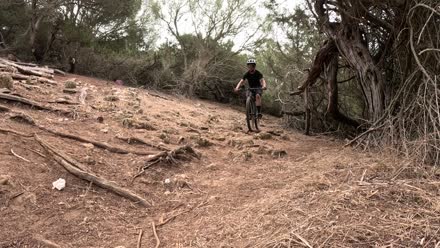
You get an agent that knows your library. Ask for the sunset shot, the descent at kilometer 14, the moment someone says the price — it brings back the exact scene.

Find me biking videos of @Ilias and @Mouad

97%7 - Agafay Desert Mountain Biking Morocco 202306:56–07:00

Stop digging.
Start finding.

$249, once — the public beta. Download today, models included, and every update for a year is on us. Your footage stays on your Mac. 30-day refund, no questions asked.

What you get: transcription with speakers, visual match, audio match, face labeling, the AI agent, Strava & GPS, and one-click handoff to your editor.

Works with Final Cut Pro and DaVinci Resolve today — Premiere Pro by request access only.

Get Orcah Studio for Mac
Requires an Apple Silicon Mac, macOS 14.0 or later
30-day refund, no questions asked — email me directly

Questions, answered.

Yes. Everything is processed on-device by default, and nothing uploads unless you choose the cloud indexing option.

Orcah Studio is designed for modern Apple Silicon Macs. Enough local storage for your footage library will give the best experience, especially when indexing larger projects. Recommend at least 16GB RAM and 20GB of free storage for local ML models

Orcah Studio is macOS today (Apple Silicon, macOS 14.0+). A Windows version is coming — for machines with an NVIDIA GPU via CUDA. Join the waitlist at founder@orcah.app and we'll email you the moment it lands.

Current video support includes .mp4, .mov, .webm, and .mxf (requires DaVinci Resolve Free version for transcoding). We will continue adding support for more formats over time.

Yes. MXF files are transcoded to MP4 and then indexed normally, so they are fully searchable like any other format. Keep in mind the transcoding step will use some extra local storage in the same folder where the MXF video file is located.

Yes. Any drive or NAS mounted to the machine running Orcah Studio will work. If you run the self-hosted Docker version, you can also run it directly on a NAS that supports Docker and have the necessary hardware to run local ML models.

You will need at least 20 GB free for the local AI models. Orcah Studio does not copy or move your video files — it links to them in place, so your footage stays exactly where it is. The only exception is formats that require transcoding before indexing, like MXF, which will use some extra storage.

Orcah Studio is not a replacement for your editor — it is a companion that integrates directly into Final Cut Pro and DaVinci Resolve (Free and Studio) today. Adobe Premiere Pro support is available by request access only — email founder@orcah.app and we'll enable it for you.

Your license moves with you — redownload and sign in with the same email.

The license is lifetime — the app is yours forever, one payment. Updates are included for a full year after purchase; after that the app keeps working exactly as it is, and renewing is optional if you want the newest releases.

30-day refund, no questions asked. Buy the lifetime license, and if it's not for you within 30 days, email me directly for a full refund.

Both versions share the same core features — local indexing and natural language search. The open source version runs via Docker and is accessed through a browser, giving you full control over the stack with no lock-in. The desktop app is optimized for Apple Silicon, skips Docker entirely, and adds one-click clip handoff to your editing software so you never break flow.

Yes. We will continue supporting the open source project after the desktop app ships. The commercial desktop app will help fund continued development of the open source version as well.

Your footage never leaves your Mac.

Everything is processed on-device. Nothing uploads unless you explicitly export, share, or opt into cloud indexing for speed.

100%
on-device by default
Off
telemetry, until you opt in
0
footage uploaded, ever, unless you opt in

Download the models once, turn off wifi, keep indexing. Try it.

See it on your footage.

A 15-minute call with the founder (Ilias).

Prefer email? email the founder directly at founder@orcah.app